
Live dashboards and alerts for auto attendants, call queues,
and agent performance inside Microsoft Teams.
Auto attendants and call queues are "lights-out" without live visibility. Supervisors can't see calls waiting, spikes in missed calls, or agent utilization in time to act.
A real-time telemetry layer for Teams Phone that surfaces queue health, agent status, and service levels directly in Teams - plus alerts, wallboards, and drill-downs.
Displays real-time metrics such as calls waiting, longest wait time, Average Speed of Answer (ASA), and Service Level (SL%).

Shows how many agents are logged in and ready, on a call, in wrap-up, or not ready.
Provides insight into how callers move through the menu, why calls exit the queue (answered, abandoned, transferred), and how many are handled via transfers or self-service.
Triggers immediate notifications when predefined thresholds are exceeded, such as high wait times, low service levels, or spikes in missed calls.
Offers customized dashboards tailored to different roles, such as detailed views for supervisors, team overviews for team leads, or high-level summaries for executives.
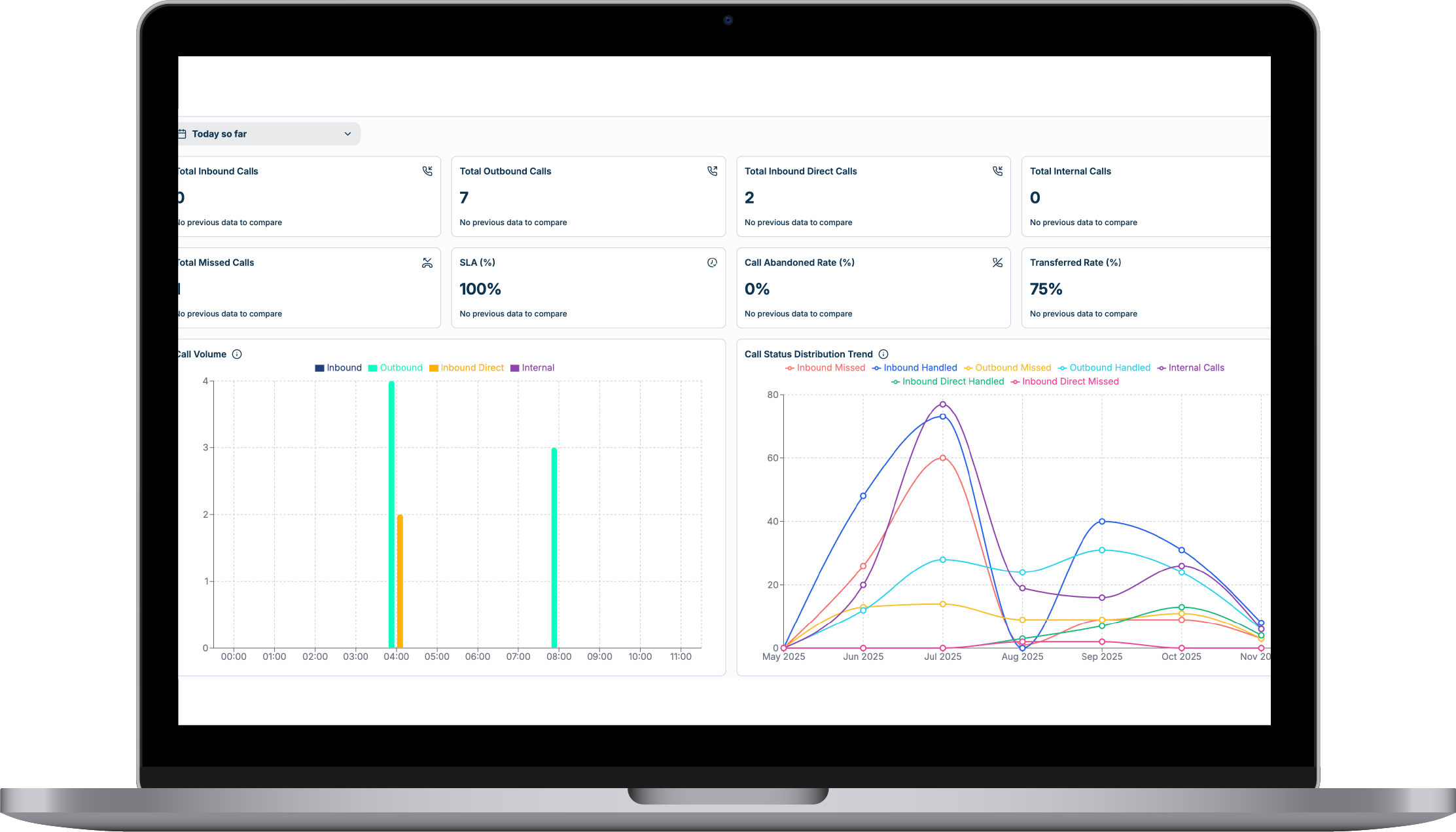
Large-screen displays with clear color-coded indicators (e.g., green, amber, red) that show real-time status at a glance.
TeamsCX connects real-time dashboards, historical analytics, global compliance, and workforce management into one Microsoft Teams Phone operating model. Next, explore Historical analytics.
Turn Teams Phone usage and performance trends into planning decisions.
View capabilitySupport regional rollout, local numbering, and regulatory requirements.
View capabilityForecast demand, schedule agents, and track adherence in Teams Shifts.
View capability
Drop us a message:
No—cloud-first, Teams-native. No extra hardware or SBC needed.
Yes. Set alerts by queue, skill, or team so the right people are notified.
No; TeamsCX reads telemetry and doesn't inject latency into calls or chats.


